When was the last time you gave your business website a serious upgrade?
Not just changing a picture or updating your phone number.
I’m talking about a real upgrade.
Because an outdated design, a slow page, or a confusing next step can turn an interested visitor into someone else’s customer.
A better-looking website. A better experience on phones. Clearer information. Easier ways for people to contact you. And a website connected to the marketing and follow-up tools that help turn interest into business.
Your Old Website Could Be Costing You Business Without You Knowing It.
If your website is a few years old, you might be surprised by what’s happening behind the scenes.
Recent research has uncovered serious problems with small-business websites.
One study found that nearly HALF of the small-business websites examined had at least one serious problem.
Another found that more than 1 in 3 small-business websites using WordPress were running an older major release of the software.
And researchers examining more than 1,100 small-business websites found that 68% took longer than two seconds to deliver the initial homepage HTML, the basic page document. That measures the initial response, rather than how long the entire page and its images take to finish loading.
These aren’t just little technical details.
They can affect how customers see your business, how easily they can find what they need, and whether your website is doing its job.
A customer looking for a local business isn’t usually there to admire your technology.
They want an answer.
Do you offer the service they need? Where are you located? Can they see examples? How do they get in touch?
When your website makes those answers harder to find, your business has to overcome an obstacle before the first conversation even happens.
Is Your Website Showing Its Age?
Think about the last time you looked at your website through a customer’s eyes.
Does it still look the way it did five years ago?
Does it represent the quality of the business you run today?
Does it look as good on a smartphone as it does on your computer?
Does it load promptly?
Does it make it easy for someone to call you, ask a question, request a quote, or become a customer?
And when was the last time someone checked the technology that keeps it running?
Here are some of the problems that can develop as websites get older.
Outdated Design
Your website looks old-fashioned compared with your competitors.
The photos feel dated. The layout feels cramped. The page looks like it belongs to an earlier version of your business.
That can make your business appear less professional than it really is.
You may have spent years improving your service, training your staff, renovating your location, and building your reputation.
Your website should reflect that work.
Old Website Software
Many websites, especially those built with WordPress, depend on software, themes, and add-ons that need ongoing attention.
Updates get postponed. Someone leaves. The person who originally built the site stops maintaining it.
The website may still appear to work, while the responsibility for keeping everything current becomes less clear.
And because you’re busy running the business, it’s easy for website maintenance to become something you assume someone else is handling.
Until something stops working.
Hidden Security Risks
Older add-ons and software that no longer receives security fixes can create exposure you won’t spot by looking at your homepage.
A website doesn’t have to look broken to need technical attention.
Keeping the underlying technology supported matters, just as maintaining the equipment inside your business matters.
The difference is that website problems can be harder to see until they interfere with a customer’s visit.
A Poor Smartphone Experience
Your website may technically open on a phone without being easy to use on one.
Small text. Awkward menus. Photos that crowd the screen. Buttons that are difficult to tap. Important information buried several scrolls down.
A customer standing outside, sitting in a parked car, or looking for a business between appointments shouldn’t have to fight your website to contact you.
Slow-Loading Pages
People expect websites to respond promptly.
If yours keeps them waiting, some may leave before they see what you offer.
And even when the page eventually appears, an unnecessarily slow experience is a poor introduction to a business that prides itself on being responsive.
Security Warnings
An expired or improperly configured security certificate can cause visitors to see a warning before they ever reach your website.
Imagine asking someone to trust your business while their browser is warning them about the page they’re trying to visit.
They may never get far enough to see your services, your experience, or the reasons customers choose you.
Broken Links, Buttons, and Contact Paths
A visitor clicks a link and goes nowhere.
A request-an-estimate button doesn’t open the right page.
A contact form needs attention.
These are the places where an interested visitor is trying to take the next step.
They deserve to work.
If you haven’t recently followed those paths yourself, it’s worth asking what a customer experiences after clicking.
A website can look fine at first glance and still let people down at the exact moment they’re ready to contact you.
Old Information
Services you no longer offer. Promotions that ended months ago. Photos that don’t show your current location. A team page that is out of date.
Stale information creates unnecessary questions.
Is this business still active? Do they still offer what I need? Will someone respond if I get in touch?
Here’s the frustrating part:
Your customers probably won’t tell you there’s a problem.
They may click the back button.
They may call someone else.
Or they may simply decide that a competitor looks more professional.
You could have the best product or service in town.
But if your website makes a poor first impression, you may never get the chance to prove it.
Your Website Should Reflect the Reputation You’ve Earned.
You’ve built your business one customer, one job, and one kept promise at a time.
Years of showing up. Doing the work properly. Solving problems. Giving people a reason to recommend you.
That reputation deserves to come across when someone finds you online.
The care you put into your work should be visible in the way your services are presented. The quality customers experience in person should have a counterpart on the screen. And the business you’ve worked to build should be easy for a new customer to understand.
An upgraded website brings your online presentation up to the standards you already hold in your business.
Show the work you’re proud of. Give your current services room to stand out. Help visitors see what makes your business worth contacting.
For someone who already knows you, the website can feel like the business they trust. For someone discovering you for the first time, it can make that first introduction clearer and more welcoming.
You’ve done the work to build your reputation. Your website should help represent it.
The Technology Has Changed. Has Your Website?
For years, small businesses have relied on WordPress and traditional website builders to get online.
Those platforms helped millions of businesses establish a web presence. But building and maintaining a website often meant dealing with designers, programmers, hosting companies, add-ons, updates, and technical problems.
Need a new page?
Contact the person who built the site.
Need to add a feature?
Find another add-on and figure out whether it works with what you already have.
Something breaks?
Find someone who knows how to fix it.
Want to start email marketing?
Set up another service.
Want to advertise?
Learn another system, create the campaign, and make sure it connects to the right page.
Even small improvements can become projects you keep putting off.
Meanwhile, the website stays the same because changing it feels like more work than you have time for.
AI gives you a different way to get that work done.
You explain what you want to accomplish. Buildy helps create and update the website and marketing around it.
You review the work and remain in charge of publication.
Your business can move forward without every change starting with a request to someone else.
Here’s the Bigger Problem With Most Small-Business Websites.
Even if your website looks great, there’s still an important question:
Is it actually helping you get more customers?
For many small businesses, the website is little more than an online brochure.
It tells people what they do.
It lists their services.
Maybe it has a contact form.
And that’s where the system ends.
But having a website is only one part of getting customers.
You still need to attract people to your business.
Create content.
Promote your services.
Stay active on social media.
Collect inquiries.
Answer questions.
Follow up with people who have shown interest.
And you need those activities to connect.
An advertisement should lead to a relevant page. That page should make the next step clear. An inquiry should become a conversation. A conversation shouldn’t disappear because everyone got busy.
That is a lot of work when you’re already serving customers, managing staff, ordering supplies, and running the business.
You could hire people to help.
You could hire a marketing agency.
Or you could buy several software subscriptions and try to make them work together yourself.
Buildy brings website creation, marketing, and customer communication into one AI-powered workspace.
The website upgrade becomes the starting point for a more connected way to market your business.
Introducing Buildy.ai
Upgrade Your Website. Modernize Your Marketing. Stay in Control.
Imagine having a modern, professional website that represents your business properly.
Now imagine being able to improve it by having a conversation.
And imagine that same website connected to tools that help you create advertising, prepare social posts, capture inquiries, answer questions, and follow up with interested customers.
That is what Buildy makes possible.
You don’t need to know how to program a website or start every marketing project with a blank screen.
You tell Buildy what you want to accomplish.
“Create a page for our new service.”
“Help me promote this month’s special.”
“Write an email for customers who asked about an estimate.”
“Make the homepage look more modern and put our best photos first.”
Buildy helps you turn those requests into work you can review and use.
You bring your knowledge of your business. Buildy helps with the website, content, and marketing execution.
Start With the Website You Already Have.
Your existing website gives Buildy a starting point. The business you describe, the services you offer, and the material you already have online can become the foundation for the new version.
The rebuilding process starts with your website address and continues with your direction.
1. Give Buildy Your Existing Website Address.
Enter the address of your current website and ask Buildy to rebuild it.
2. Let Buildy Handle the Website Rebuilding.
Buildy uses your existing site as the starting point and handles almost all of the website rebuilding automatically. You guide the result instead of recreating each page element by hand.
3. Ask for Improvements in Your Own Words.
Once the rebuilt website takes shape, tell Buildy what you want to improve. Refresh the design. Feature your latest work. Make your services easier to understand.
“Use our latest photos, make the services clearer, and give the homepage a cleaner look.”
You can keep refining the new version through conversation.
4. Review the New Version Before You Publish.
Look through the rebuilt website, request further changes, and check how it presents your business. You decide when it’s ready to publish.
Start with the website you have. Shape the website you want. Review it before you share it with customers.
32,654 Businesses Built.
Now picture what that same building power can do for the website you already have.
This demonstration will show an old, outdated website becoming a modern version: starting with its existing address, improving the design through conversation, and reviewing the result before publishing.
See how the photos, services, and next step come together, while the owner stays in control of the changes.
From Outdated to Upgraded
Demo recording to be added here.
Reserved for the website walkthroughPicture the Difference Before You Change a Thing.
Imagine someone finding your business on their phone.
Today, they might see an old photograph, tiny text, a service list that hasn’t been updated, and a contact button they have to hunt for.
Now picture that same visit with a modern website.
They see what you do, where you do it, and why they should contact you. Your current services are easy to find. Your photos show the business you run today. There’s a clear next step, whether they want to call, ask a question, request an estimate, or make a purchase.
With one important difference from the way you may have done it before:
You stay in control of what your website looks like, what it says, and how it changes.
Want to replace those old photos with pictures of your shop, your team, or your latest work?
Tell Buildy.
Want your newest service featured at the top of the page?
Tell Buildy.
Want a different layout, stronger wording, a new promotion, or colors that better represent your business?
Ask for those changes in ordinary language, review the result, and publish when you’re ready.
You don’t need to translate your ideas into programming instructions. And you don’t need to contact a webmaster every time your business has something new to say.
Then imagine deciding to promote a new service.
Instead of adding it to a list of changes you’ll eventually send to a designer, you tell Buildy:
“Add our new service to the homepage. Use these photos. Make the request-an-estimate button easier to find. Keep the design clean and modern.”
Buildy helps make the changes. You review them. You decide when they go live.
That is what control looks like in everyday business use.
And the opportunity goes beyond a better-looking website.
That website can connect to AI-assisted advertising, social content, customer questions, and follow-up. Your next promotion has somewhere useful to send people, and your business has a way to continue the conversation.
Now let’s look at what that means for your business.

Your favorite place. Outdoors.
Thoughtfully designed gardens. Beautifully maintained.

“Make it modern. Put our garden photography first.”
Look Professional: Give Customers a Website That Reflects Your Business Today.
Give Your Business a Modern Website
Replace your aging website with a professional design built around your business, your services, and the people you want to reach.
Show your location. Explain what you do. Put your strongest photos to work. Make the important information easy to find.
Buildy helps create a website that works across computers and smartphones, with hosting and a secure connection as part of the platform.
You can review the page as a customer would see it, ask for improvements, and publish when you’re satisfied.
That means your website can keep evolving as your business changes.
Update the Look, the Message, and the Offer Without Waiting for a Webmaster
Your business doesn’t stand still.
You introduce services. Change promotions. Add photos. Find better ways to explain what makes you different.
Your website should be able to keep up.
With Buildy, you can ask for changes to colors, layouts, wording, images, and pages without having to write code.
You can be specific:
“Use these new photos, give the page a cleaner layout, and make our commercial service easier to find.”
Or start with the outcome:
“This page feels dated. Help me make it look more professional.”
Buildy helps you work toward the result. You stay involved in the choices and in what gets published.
That ability to direct future changes is a central part of the upgrade.
Sell Products and Services Online
Your website can do more than explain what you sell.
Buildy can help create product pages, service offers, an online store, and checkout using its supported payment connection.
Sell physical products.
Offer digital products.
Create a page for a service customers can purchase online.
Instead of squeezing every offer onto an old homepage, you can give it a page that explains what the customer gets and makes the next step clear.
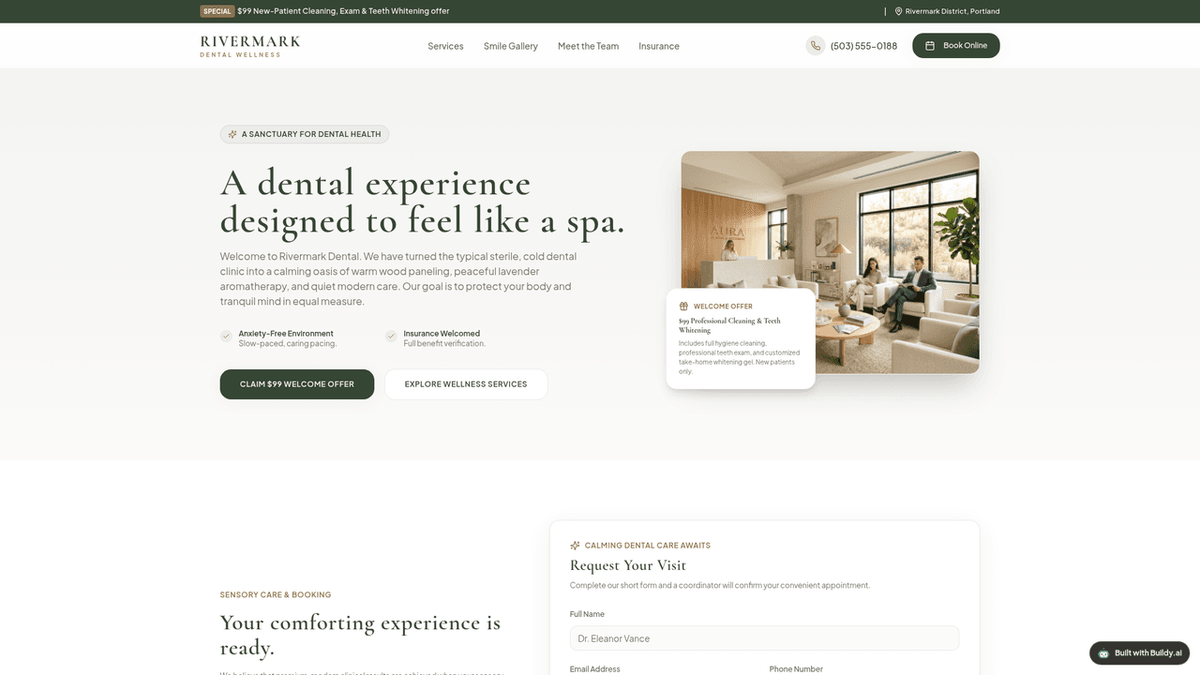
Bring People In: Put Your Website at the Center of Your Marketing.
Let AI Help With Your Social Media
You know you should be posting more often.
But when the day gets busy, it’s easy for social media to become another task you’ll deal with later.
Buildy helps write posts, create graphics, and prepare promotional content around your business.
Show a new service. Explain a common customer question. Share useful information. Promote a seasonal offer.
You can review the content, then publish or schedule it through supported, connected social accounts.
Instead of wondering what to post, you have help creating something that points people toward your business.
Create Ads Without Starting From Scratch
Want to advertise on Facebook, Instagram, Google, or other supported advertising platforms?
Buildy helps prepare the campaign, write the messages, and create images or video content for your ads.
It can also help create the page people reach after they click, so the advertisement and the website make sense together.
You review the campaign, choose whether to launch it, and control the advertising budget.
Your advertising spend is separate from your Buildy subscription.
The value is having AI help you create and manage the work instead of having to begin every campaign from scratch.
Help More People Find You Online
Think about the questions people ask before they contact your business.
Which service do they need?
What should they look for?
How does the process work?
What makes one option different from another?
Buildy helps you create useful website content and articles around those questions.
It also supports organizing your website so search engines can better understand your business.
That gives you more ways to explain what you do and more relevant pages for potential customers to discover.
And when your services change, you can update those pages by talking to Buildy rather than leaving old information in place.
 Promote the service you want to sell.
Tell Buildy the goal“Help me promote our air-conditioning service.”
Prepare the promotionAds, social posts, and a page that explains the offer.
Review before it goes outYou decide what to publish and what to spend.
Turn Interest Into Conversations: Help People Take the Next Step.
Get More Leads From Your Website
A beautiful website is nice.
A website that makes it easier for an interested person to contact you is more useful to your business.
Buildy can help create focused pages, offers, and contact forms that give visitors a clear reason to take action.
Request an estimate.
Ask about a service.
Leave details for a follow-up.
Find out whether your business can help.
You can build the page around the conversation you actually want to have with a customer, instead of sending everyone to a general homepage and hoping they figure it out.
Answer Website Questions Even When You’re Busy
Someone visits your website after closing time.
They want to know whether you offer a particular service or what they should do next.
With an AI Receptionist configured for your business, website chat can help answer common questions and guide visitors toward the next step.
It uses the business information you provide, so you can help it understand your services, policies, and the questions people ask.
That gives visitors a way to get help when you’re serving another customer, away from the desk, or closed for the evening.
Your website can keep helping people even when you aren’t available to answer personally.
Put Email Follow-Up to Work
A person asks about your service.
You respond.
Then the day gets busy and the conversation goes quiet.
Buildy helps you create email campaigns and automated follow-up sequences, so staying in touch doesn’t depend on remembering to write every message yourself.
Send useful information.
Explain the next step.
Share a relevant promotion.
Follow up with someone who has expressed interest.
You review the messages and configure the follow-up. Once it is set up, the sequence can continue the conversation automatically.
You can also create announcements and offers for your customers, with help writing the content before you approve sending it.
Stay in Touch by Text
Email isn’t the only way to continue a customer conversation.
Buildy also supports text messages for customers who have agreed to receive them.
Use reminders, relevant updates, and follow-ups to help people take the next step.
You can combine email and text messages in a configured follow-up sequence, rather than managing every conversation as a separate task.
Phone service, texting setup, and usage charges are separate from the Pro subscription.
Have AI Help With Incoming and Outgoing Calls
Imagine having an AI Receptionist answer your business number while you’re helping a customer.
It can use your business information to answer common questions, help callers, and support appointment booking when your booking calendar is connected.
Buildy also supports outgoing AI follow-up calls to contacts who have given the appropriate permission.
That gives you another way to respond to interest without personally handling every routine call.
A Business Phone Number and calling usage are additional costs. You choose whether to add phone service and how it fits your business.
Automate the Little Tasks That Eat Up Your Day
Appointment reminders.
Customer follow-ups.
Order confirmations.
Relevant promotions.
Responses to common questions.
Each task may seem small. Together, they take time and attention away from the work only you can do.
Buildy can help you create the messages, forms, and configured workflows that handle many of those repeated steps.
You decide what should happen and review the setup. The system then helps carry out the process you’ve put in place.
And That’s Just the Beginning.
Buildy also includes tools for creating images and videos, researching competitors, improving marketing messages, and building custom business tools.
The benefit of bringing these capabilities together is practical.
When you create a promotion, you can also create the page for it.
When that page generates an inquiry, you can build the follow-up around it.
When customers keep asking the same question, you can improve the website and the information your AI Receptionist uses.
Your website, marketing, and customer communication can develop together instead of becoming a collection of disconnected projects.
Two ways to get there.
Choose what fits your time.
Build it yourself with an easy, approachable workshop-guided path, or choose the convenience of extra human help. Your time, your preference, and the assistance you want decide the route. You stay in control either way.
| Do It Yourself, With a Workshop | Have an Expert Do It for You | |
|---|---|---|
| Who it suits | You have time, want to learn, and enjoy shaping the website yourself. | You’re short on time, would like extra help, or prefer a human to handle the initial work. |
| Who does the rebuild | You rebuild your website with Buildy and workshop guidance. An easy, approachable way to do it yourself. | A human expert handles the hands-on rebuild, redesign, and migration. |
| Guidance and assistance | Workshop access is included. Learn how to direct changes and review the result. | Choose the convenience of hands-on human help with the initial website work. |
| Your ongoing control | Tell Buildy what to change, review the result, and publish when you’re ready. | Tell Buildy what to change, review the result, and publish when you’re ready. |
| What you pay | Workshop access included. Eligible 10-day free Pro subscription trial, then $99/month unless you cancel before it ends. | $299 one-time service fee, paid upfront. Plus the same eligible 10-day free Pro subscription trial, then $99/month unless you cancel before it ends. |
The free trial covers the Pro subscription only, not the $299 upfront human service fee. Eligible new accounts only. Card required. One trial per account. Advertising spend, phone service, and usage-based extras are separate.
Choose the Way You Want to Rebuild.
LEARN IT. BUILD IT. CONTROL IT.
Do It Yourself, With a Workshop
Have time and want to build it yourself? This easy, approachable path helps you learn with workshop guidance. You do the initial rebuilding.
Keep shaping your website by telling Buildy what to change.
after your 10-day trial
Get access to a workshop that teaches you to rebuild your website yourself with Buildy.
Learn how to direct the changes, review the result, and build a website that fits your business.
Start your 10-day free Pro subscription trial, then pay $99/month unless you cancel before the trial ends. Workshop access is included with this option.
HUMAN HELP. YOUR VISION.
Have an Expert Do It for You
Short on time, or prefer a helping hand? Choose the convenience of a human expert handling the rebuild, redesign, and migration for you.
Afterward, you keep control by telling Buildy what to change.
for the expert service
Plus Pro: 10-day subscription trial, then $99/month.
Have a human expert handle the hands-on website rebuild, redesign, and migration.
Get help with the rebuilding work, then use Buildy to stay in control of future changes through ordinary conversation.
Pay a one-time $299 service fee upfront. Your Pro subscription starts with the same 10-day free trial, then costs $99/month unless you cancel before the trial ends.
The free trial applies to the Pro subscription only. It does not apply to the $299 human service fee, which is charged upfront.
Subscription trials are for eligible new accounts, require a card, and are limited to one trial per account. Advertising spend, phone service, and usage-based extras are separate from the Pro subscription.
Preview only: choose an option to review its details. Enrollment and payment are not connected.
Think About the Difference for Your Business.
Before Buildy
You have an aging website that needs attention.
You notice things you want to change, but the changes keep getting postponed.
You may be paying for separate software programs without making full use of them.
You struggle to keep up with social media.
You rarely email your customers.
You miss calls when you’re busy.
You know you should be doing more marketing, but you don’t have the time to start every task from scratch.
And the website often feels like something someone else controls.
With Buildy
You can create a modern website that represents your business professionally.
You can direct changes to its appearance, wording, photos, and offers through conversation.
You can prepare new promotions and the pages that support them.
Your email and text follow-ups can help you stay in touch with interested customers.
Your social content and advertising are easier to create because you have AI helping with the work.
Your configured AI Receptionist can answer routine questions on the website and, with phone service added, help with calls.
Your website can become the center of a connected system for attracting, following up with, and serving customers.
You still decide what your business offers, what gets published, and how you want to communicate.
The difference is that you have help turning those decisions into action.
How Much Would It Cost to Put All of This Together Separately?
Think about the work involved.
A website redesign.
Hosting.
Website updates.
Email marketing.
Text follow-up.
Phone assistance.
Social content.
Advertising creative.
Search-focused content.
Customer questions.
Marketing automation.
Hiring people or buying separate services for these jobs can get expensive.
And the bills are only part of the cost.
There’s also the time you spend explaining the same business to different people, moving information between systems, and trying to keep everything consistent.
Buildy Pro brings its website-building, marketing, and customer-communication tools together for $99/month after your 10-day free subscription trial.
If you want to learn to rebuild your website yourself, choose the workshop option.
If you want hands-on human help with the rebuild, redesign, and migration, choose the expert option with its one-time $299 service fee, charged upfront.
That expert fee is for the website service. It is separate from the monthly Pro subscription.
Here’s What Is Separate From the Subscription.
Advertising spend is paid separately from Buildy.
A Business Phone Number and calling or texting usage are additional costs.
Video credits, extra inboxes, domain renewals, and other usage-based extras may also cost more.
Pro includes its plan allowances. The $99/month price does not mean unlimited usage or that every add-on is included.
You can choose which parts of the system to use as your business needs them, rather than treating every possible feature as a requirement on day one.
Choose Your Starting Point. Keep Control Either Way.
LEARN IT. BUILD IT. CONTROL IT.
Do It Yourself, With a Workshop
Have time and want to build it yourself? This easy, approachable path helps you learn with workshop guidance. You do the initial rebuilding.
Keep shaping your website by telling Buildy what to change.
after your 10-day trial
Learn to rebuild your own website with access to a workshop that teaches you to use Buildy for the job.
Get a 10-day free Pro subscription trial, then pay $99/month unless you cancel before it ends. Workshop access is included with this option.
HUMAN HELP. YOUR VISION.
Have an Expert Do It for You
Short on time, or prefer a helping hand? Choose the convenience of a human expert handling the rebuild, redesign, and migration for you.
Afterward, you keep control by telling Buildy what to change.
for the expert service
Plus Pro: 10-day subscription trial, then $99/month.
Let a human expert handle the hands-on website rebuild, redesign, and migration, while you gain the ability to direct future changes with Buildy.
Pay $299 upfront for the one-time service. Your Pro subscription includes a 10-day free trial, then costs $99/month unless you cancel before the trial ends.
The trial covers the subscription only. The $299 human service fee is charged upfront, not after the trial.
Trials require a card, are available to eligible new accounts, and are limited to one per account. Advertising spend, phone service, and usage-based extras are separate.
Preview only: choose an option to review its details. Enrollment and payment are not connected.
You Don’t Have to Become a Web Designer to Take Control.
One of the biggest reasons websites stay outdated is that changing them feels intimidating.
You know what you want the customer to see. You just don’t know how to make the website show it.
Buildy gives you a way to describe the result in your own words.
The workshop option helps you learn to rebuild the site yourself.
The expert option gives you human hands-on help with the rebuild, redesign, and migration.
Both lead to the same important capability:
You can continue directing your website through conversation instead of returning to the old cycle of saving up changes for someone else.
And you don’t have to create every piece of your marketing at once.
You can improve the website, create the next promotion, and build the follow-up that makes sense for your business.
A useful next step becomes easier to take when you have help doing the work.
Your Business Has Changed. Your Website Should, Too.
Think about how much your business has changed over the past few years.
You’ve worked hard.
You’ve learned.
You’ve improved the way you serve people.
Maybe you’ve added products or services. Renovated your location. Expanded your team. Built a reputation you didn’t have when you first started.
Does your website reflect the business you’ve become?
Does it show the quality customers experience when they walk through your door or work with your team?
And is it ready to support what you want to do next?
You don’t need to keep accepting a website that feels out of date.
You don’t need to turn every new promotion into a complicated technical project.
And you don’t need to become a programmer to start putting AI to work.
You can rebuild the website, regain control of the changes, and connect it to the marketing tools that help your business move forward.
Stop Putting Off the Website You Know Your Business Needs.
Give customers a better first impression.
Make your services easier to understand.
Put your best photos and current information where people can find them.
Make it easier to ask a question, request an estimate, or buy.
Create more useful content.
Prepare better-connected promotions.
Follow up with people who have shown interest.
And keep improving your website without needing a webmaster for every change.
Choose how you want to begin.
LEARN IT. BUILD IT. CONTROL IT.
Do It Yourself, With a Workshop
Have time and want to build it yourself? This easy, approachable path helps you learn with workshop guidance. You do the initial rebuilding.
Keep shaping your website by telling Buildy what to change.
after your 10-day trial
Get access to the workshop that teaches you to rebuild your website yourself with Buildy.
Start your 10-day free Pro subscription trial. Then pay $99/month unless you cancel before the trial ends. Workshop access is included with this option.
HUMAN HELP. YOUR VISION.
Have an Expert Do It for You
Short on time, or prefer a helping hand? Choose the convenience of a human expert handling the rebuild, redesign, and migration for you.
Afterward, you keep control by telling Buildy what to change.
for the expert service
Plus Pro: 10-day subscription trial, then $99/month.
Have a human expert handle your website rebuild, redesign, and migration.
Pay the one-time $299 service fee upfront. Start your 10-day free Pro subscription trial, then pay $99/month unless you cancel before the trial ends.
The 10-day free trial applies only to the Pro subscription. The $299 human service fee is charged upfront and is not covered by the trial.
Eligible new accounts only. Card required. One subscription trial per account. Advertising spend, phone service, and usage-based extras are separate from the Pro subscription.
Preview only: choose an option to review its details. Enrollment and payment are not connected.
